

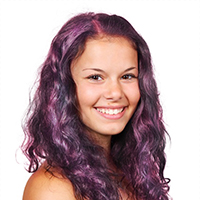
In the tutorial we’re going to see, we’re going to show you how to change your hair color from black to magenta in Photoshop to make it look shinier and prettier. This exercise uses some techniques that might be difficult for beginners, but if you follow the steps patiently you should be able to complete it.
Related Posts
11
Nov2014

Create a Blue Planet with Adobe Illustrator – Tutorial
In the tutorial that we will see we will explore an interesting technique of creating a texture of hexagons to make objects of any shape, in this exercise we will…
12
Dec2012
Create Doormat Using V-Ray in 3ds Max
In the tutorial in Autodesk 3ds Max we’re going to see we will show create a 3D doormat of the classic ones near the doors. The lesson takes place using…
01
Jun2013
Create a Social Media UFO Icon in Photoshop
La maggior parte dei siti web hanno un qualche tipo di presenza sui social media, con un link al loro pagine Facebook o Twitter ben visibile sulle loro pagine. Il…
02
Mar2023
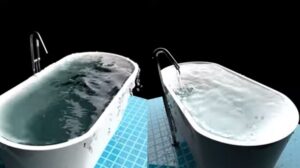
Create Water in Bathtub in 3ds Max with Chaos Phoenix
This video tutorial shows us how to create very realistic water in a bathtub in 3ds Max. We will use the Chaos Phoenix plugin, a really powerful tool. The lesson…
26
Oct2012
Advanced Glow Effects in Photoshop
In the Adobe Photoshop tutorial we’re going to visit, we create some lighting effects using a combination of layer styles, the Pen tool and color mixing. The final effect is…
05
Sep2014

Creating a Spiral Galaxy in Cinema 4D – Tutorial
IThis step by step video tutorial shows the process of creating a simple Spiral Galaxy within Cinema 4D. A space exercise to create astronomical animations.
